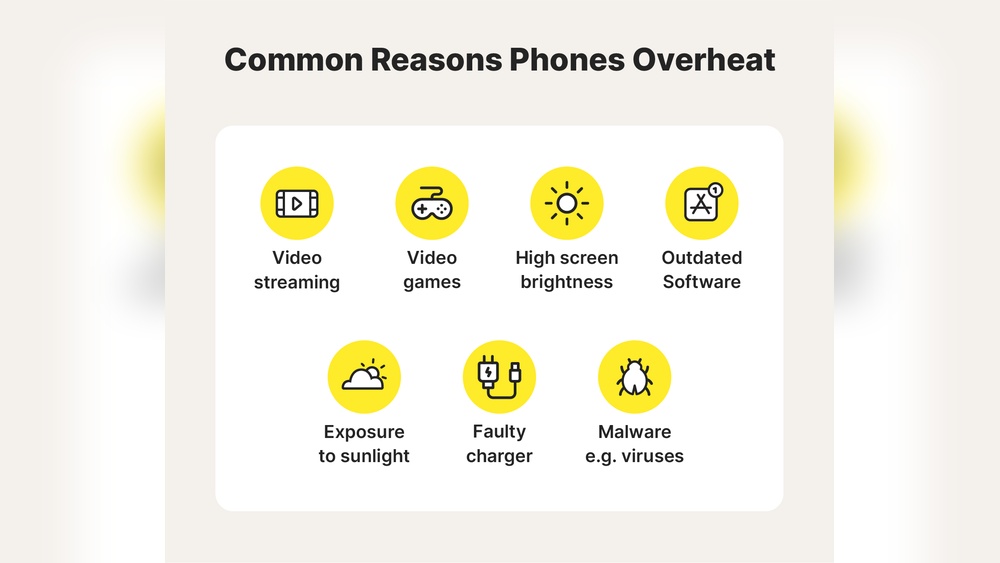

Phones getting hot is a common problem many users face. Overheating can affect your phone’s performance and battery life.
Phones work hard to run apps, games, and calls. Sometimes, they get too warm because of heavy use or environmental factors. Understanding why your phone overheats helps you protect it. It also keeps your device running smoothly and safely. This guide explains the main reasons phones get hot and what you can do about it.
Stay with us to learn how to keep your phone cool and working well.

Credit: www.avast.com
Common Causes Of Phone Overheating
Understanding why your phone overheats is key to keeping it cool and working well. Overheating can disrupt your day and damage your device over time. Let’s look at some common causes that might be heating up your phone.
Heavy App Usage
Running multiple apps or playing graphics-heavy games for long periods puts a lot of stress on your phone’s processor. This continuous demand generates heat, causing your device to feel hot.
Have you noticed your phone heating up after hours of video streaming or gaming? That’s a clear sign your processor is working overtime. Closing unused apps and limiting intense activities can help your phone cool down.
Environmental Factors
Using your phone in direct sunlight or hot environments raises its temperature quickly. Even leaving your device inside a hot car can cause serious overheating.
Have you ever left your phone on a dashboard in summer and found it too hot to touch? That heat can damage internal components and reduce battery life. Try to keep your phone in shaded, cool places whenever possible.
Battery Issues
A damaged or old battery can cause your phone to overheat, especially during charging. Batteries generate heat when they malfunction or when they are pushed beyond their capacity.
If your phone gets hot while charging or the battery drains unusually fast, it could be a battery problem. Replacing the battery or using a certified charger might solve this issue and protect your phone.
Impact Of Software On Heat
Your phone heating up can often be traced back to software issues. The programs and processes running on your device directly affect its temperature. Understanding how software impacts heat can help you fix the problem before it causes damage.
Background Apps Running
Many apps keep running in the background even when you’re not using them. These apps use your phone’s CPU and battery, which generates heat. Check your settings and close apps you don’t need to reduce the load.
Have you noticed your phone heating more after you open multiple apps? That’s your processor working hard to keep everything running smoothly. Limiting background activity can cool your device down quickly.
Outdated Operating System
Using an old version of your phone’s operating system can lead to overheating. Updates often include fixes that improve how your phone manages power and heat. If you delay updates, your device might struggle with inefficient software.
Think about the last time you updated your phone. Did you feel it running smoother afterward? Keeping your system current helps your phone run efficiently and stay cooler.
Malware And Viruses
Malware or viruses can secretly run harmful processes that drain your phone’s resources. These malicious programs often cause your phone to overheat without you realizing it. Running a trusted antivirus scan can detect and remove these threats.
Have you ever experienced sudden overheating with no clear cause? It might be time to check for malware. Protecting your phone from harmful software keeps it safe and prevents unnecessary heating.
Hardware Problems That Cause Heat
Hardware problems are often the hidden reason behind your phone overheating. Unlike apps or background processes, these issues come from inside the device itself. Identifying them early can save your phone from permanent damage and keep it running smoothly.
Faulty Battery
A battery that’s damaged or old can generate excessive heat. If you notice your phone gets hot even when it’s not heavily used, the battery might be the culprit. Swollen or leaking batteries are a clear sign you need a replacement immediately.
Have you ever felt your phone get unusually warm after just a short call? That’s often due to the battery struggling to deliver power efficiently. Ignoring this can lead to sudden shutdowns or, worse, safety hazards.
Damaged Charging Port
Your charging port connects your phone to power. If it’s bent, dirty, or broken, it can cause irregular power flow, which heats up the device. Even a small amount of dust or lint inside the port can increase resistance and cause overheating.
Think about the last time your phone heated up while charging. Did you check the charging port? Cleaning it gently or getting it repaired could fix the heat problem instantly.
Internal Component Failure
Inside your phone, many small parts work together. If any component like the processor, motherboard, or sensors fail, it can create excess heat. These parts may wear out over time or get damaged by drops and moisture.
Have you experienced sudden overheating after dropping your phone? Internal damage might not show visible signs but can cause heat spikes. Getting a professional diagnosis can help pinpoint and fix these hidden issues.
Effects Of Overheating On Phone Performance
Overheating can seriously impact how your phone performs day-to-day. When your device gets too hot, it doesn’t just feel uncomfortable in your hand—it starts to slow down, shut off unexpectedly, and wear out faster. Understanding these effects helps you spot problems early and protect your phone better.
Slower Processing Speed
Have you noticed your phone lagging or apps taking longer to open? Overheating forces the processor to slow down to avoid damage. This throttling means your phone struggles with even simple tasks, making everything feel sluggish.
Think about the last time you tried to scroll through social media, and your phone froze for a moment. That’s overheating at work, cutting your speed and ruining your experience.
Unexpected Shutdowns
Sudden shutdowns happen when your phone’s temperature rises too high. It’s your phone’s way of protecting its internal parts from heat damage. But these shutdowns can cause you to lose unsaved work or disrupt important calls.
Have you ever been in the middle of a conversation when your phone just turned off? It’s frustrating and can happen more often if overheating isn’t addressed.
Reduced Battery Life
Heat is tough on batteries. When your phone overheats regularly, the battery’s capacity drops faster than normal. This means fewer hours of use and more frequent charging, which can be a big inconvenience.
Think about how often you find yourself hunting for a charger. Overheating might be draining your battery more than you realize, cutting down your phone’s lifespan in the process.
Simple Fixes To Cool Down Your Phone
Is your phone heating up and making you worry about its health? Cooling it down might be easier than you think. Here are some simple fixes that you can try right now to bring your phone’s temperature back to normal.
Close Unnecessary Apps
Many apps running in the background can cause your phone to work harder and heat up. Take a moment to check which apps you aren’t using and close them. This frees up your phone’s processor and helps reduce heat quickly.
Have you noticed your phone getting warm while gaming or streaming? Closing other apps can make a big difference in performance and temperature.
Avoid Direct Sunlight
Leaving your phone under direct sunlight can make it heat up fast. Even on a cloudy day, sunlight can increase the temperature inside your phone. Try to keep your device in the shade or inside a bag when outside.
Think about the last time you left your phone on a dashboard or patio table—did it get uncomfortably hot? Moving it out of the sun can prevent that from happening again.
Remove Phone Case
Phone cases protect your device but can also trap heat inside. If your phone feels hot, take off the case for a while to help it cool down faster. Some cases, especially thick or rubbery ones, block heat dissipation more than others.
Once, I noticed my phone was overheating during a call. Removing the case helped it cool within minutes. Try this simple step next time your phone heats up.
Advanced Solutions For Persistent Heat
Dealing with a phone that keeps overheating can be frustrating. Basic fixes may not always work if the problem runs deep. Advanced solutions target persistent heat issues that simple steps can’t fix.
Update Software Regularly
Old software can cause your phone to work harder than necessary, leading to extra heat. Developers often release updates that fix bugs and improve performance. Have you checked if your phone has a pending update lately?
Updating your phone’s software is easy and can reduce overheating. It optimizes how apps and the system use resources, cutting down unnecessary power use. Don’t ignore those update notifications; they might save your phone from damage.
Replace Battery
Batteries degrade over time and can become a major heat source. If your phone feels unusually warm even with light use, the battery might be failing. Have you noticed your phone’s battery life dropping quickly?
Swapping out an old battery can solve overheating problems and improve overall phone health. Use authorized service centers to get a genuine replacement. A fresh battery often restores your phone’s normal temperature range.
Factory Reset
Sometimes, overheating is caused by corrupted system files or rogue apps. A factory reset wipes everything and starts your phone fresh. Are you ready to back up your data to try this step?
Resetting your phone can clear hidden issues that cause constant heat. It removes problematic apps and restores default settings. After the reset, monitor if the overheating still happens before reinstalling your apps.
Preventive Tips To Avoid Overheating
Overheating can slow down your phone and even damage its battery over time. Fortunately, you can take simple steps to keep your device cool and running smoothly. Let’s look at some practical ways you can prevent your phone from getting too hot.
Limit Intensive Tasks
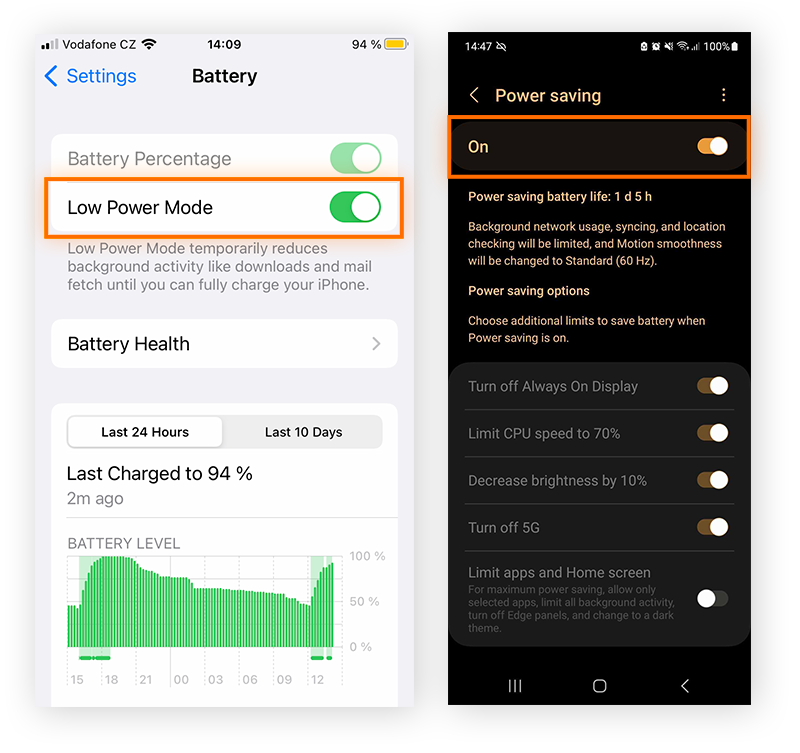
Running too many heavy apps or games at once makes your phone work harder and heat up quickly. Try closing apps you’re not using and avoid long gaming sessions without breaks. Have you noticed your phone warming up after video calls or streaming? Taking a pause can help it cool down.
Use Original Chargers
Cheap or fake chargers may not deliver power correctly, causing your phone to overheat. Using the charger that came with your phone or a certified replacement ensures safe and efficient charging. Have you ever felt your phone get hot right after plugging it in? That’s often a sign to check your charger quality.
Keep Phone Clean
Dust and dirt can block your phone’s vents and trap heat inside. Regularly wipe your phone and clean the charging port to keep airflow smooth. I once ignored the dirt buildup on my phone, and it started overheating more often—cleaning it made a noticeable difference immediately.
Credit: www.avast.com
When To Seek Professional Help
Knowing when to seek professional help for your overheating phone can save you from bigger problems down the line. Sometimes, the issue is simple and fixable at home, but other times, it signals a deeper hardware or safety concern. Recognizing these signs early ensures your device stays safe and functional.
Frequent Overheating
If your phone overheats regularly, even during light use, it’s a red flag. Occasional warmth is normal, but constant heat means something is wrong inside. You might have a faulty app or a hardware issue that needs expert attention before it causes permanent damage.
Think about how often your phone gets hot—is it after just a few minutes of use? If yes, don’t wait. A technician can run diagnostics and prevent your phone from shutting down unexpectedly or losing data.
Physical Damage
Have you dropped your phone recently or noticed cracks on the screen or body? Physical damage can disrupt the internal components, leading to overheating. Even if your phone seems fine on the outside, hidden damage might be causing heat buildup.
Getting a professional to inspect your phone after any impact is wise. They can check for loose parts or broken circuits that you can’t see but that could cause serious problems later.
Battery Swelling
One of the most dangerous signs is a swollen battery, which often makes your phone’s case bulge or the screen lift slightly. This swelling generates excess heat and can even cause leaks or fires. If you notice this, stop using the phone immediately.
Swollen batteries require urgent replacement by a professional. Ignoring this can risk your safety and the safety of those around you. Have your phone checked right away if you spot any unusual changes in its shape.
Credit: us.norton.com
Frequently Asked Questions
Why Is My Phone Overheating During Charging?
Phones can overheat if you use them while charging. High power flow generates heat, especially with fast chargers. Avoid heavy tasks during charging to keep your phone cool and protect the battery life.
Can Background Apps Cause Phone Overheating?
Yes, many active background apps increase CPU usage, generating extra heat. Closing unnecessary apps reduces workload and helps prevent overheating. Regularly check running apps to improve phone performance and temperature control.
Does Phone Overheating Damage The Battery?
Frequent overheating can degrade battery health and reduce lifespan. Excessive heat causes chemical reactions inside the battery, leading to capacity loss. Maintaining optimal temperature extends battery efficiency and overall phone longevity.
How Does Environmental Temperature Affect Phone Heating?
Using your phone in hot environments raises its internal temperature. Direct sunlight or high ambient heat limits cooling, causing overheating. Keep phones in shaded, cool places to prevent heat buildup and ensure smooth operation.
Conclusion
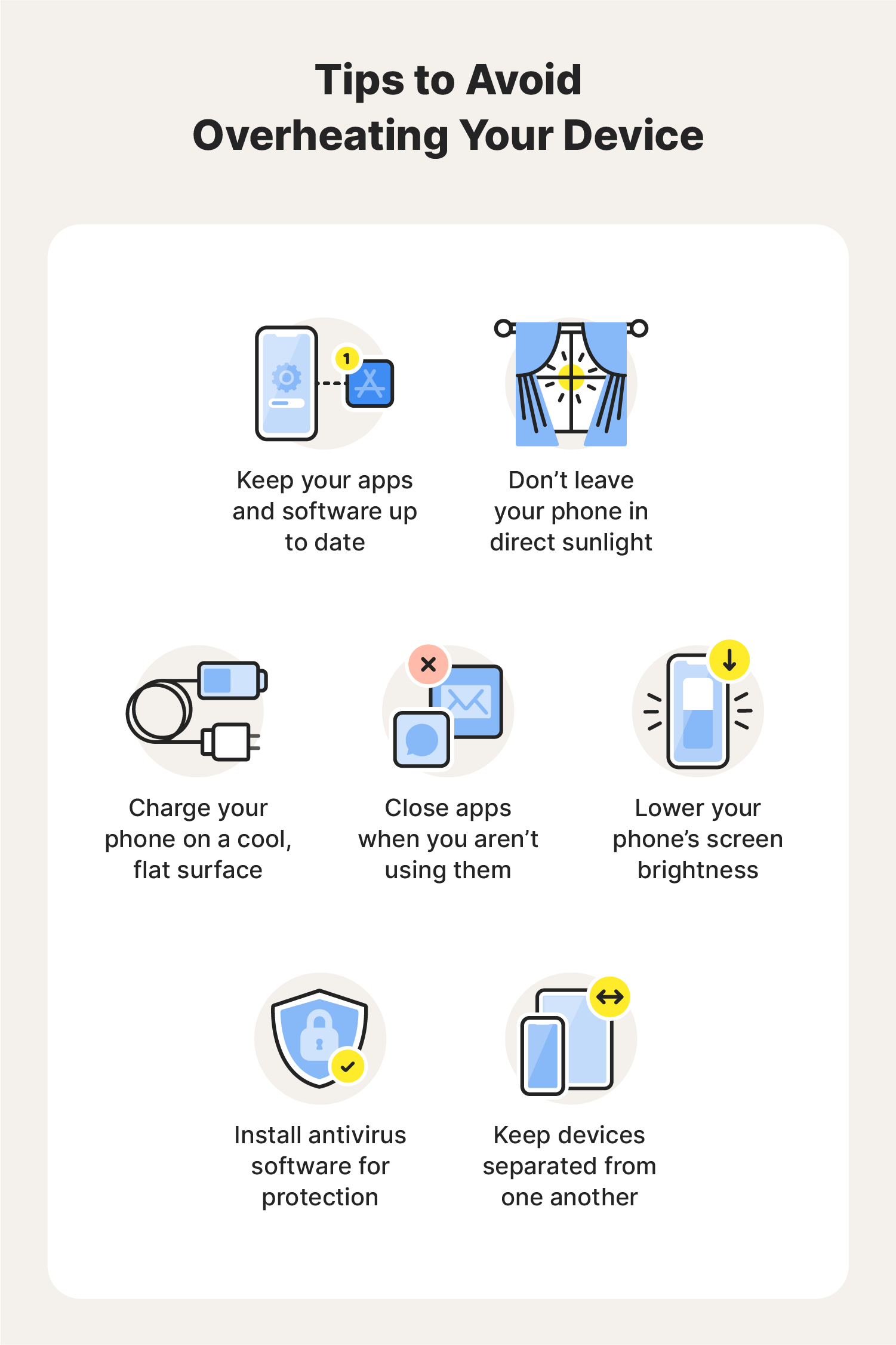
Phone overheating can cause damage and slow down your device. Avoid using many apps at once or charging while playing. Keep your phone out of direct sunlight and remove heavy cases. Regularly update your apps and phone software to fix bugs.
Clear unused files to help your phone run cooler. Taking these small steps keeps your phone safe and working well. Stay aware of these reasons to protect your device every day.