
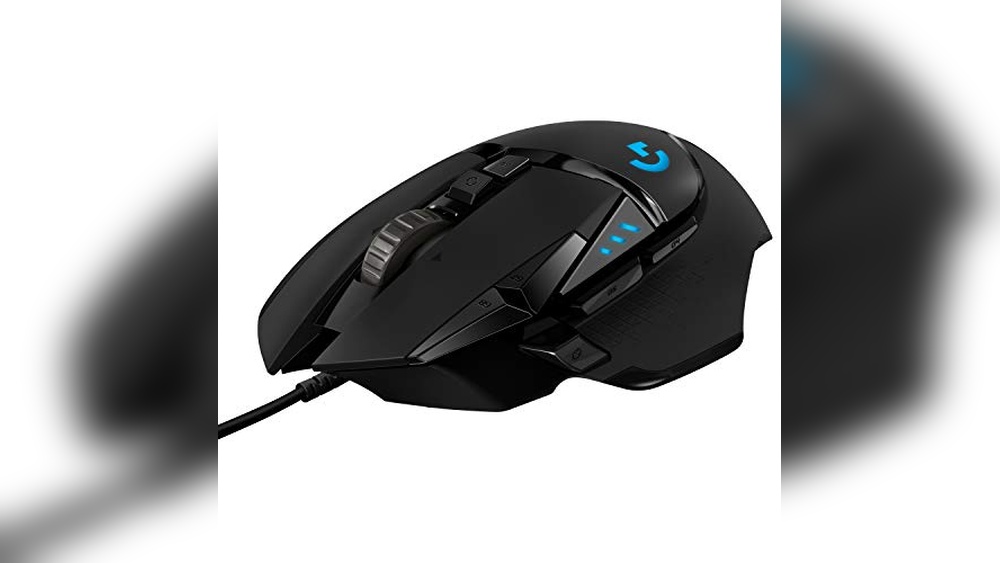

Provides precise control and customizable buttons for an improved gaming experience.
Imagine you’re in the middle of an intense online match, the clock is ticking, and every millisecond counts. With limited time to react, precision and speed become your best allies.
This is exactly what a quality gaming mouse offers—enhanced accuracy and quick responsiveness to keep you ahead. Next, I’ll share expert picks to help you find the perfect fit for your gameplay.
Expert Picks For Gaming Mouse
Logitech G502 Hero Wired Mouse
A high precision gaming mouse designed for gamers who demand top performance and customizable control.

The Logitech G502 Hero Wired Mouse is a precision gaming tool equipped with the Hero 25K sensor, delivering exceptional accuracy up to 25,600 DPI. It features an adjustable weight system, 11 customizable buttons, and onboard memory for saving profiles, making it highly adaptable for various gaming styles. Its RGB lighting adds a personal touch, syncing with other Logitech gear for a cohesive setup.
In everyday use, the G502 Hero provides reliable and consistent performance. The mechanical switch button tensioning ensures crisp clicks, while the weight customization allows for a comfortable, balanced feel. Whether you’re working or gaming, this mouse offers smooth tracking and responsiveness that remain steady through extended sessions.
Pros:
- Highly accurate Hero 25K sensor with zero smoothing or acceleration
- Adjustable weight system for personalized balance
- 11 customizable buttons with onboard memory for profiles
- Mechanical switch tensioning for crisp, responsive clicks
- Programmable RGB lighting with Lightsync technology
- Compatible with both PC and Mac
- Solid build quality and ergonomic design
Cons:
- Wired design may limit mobility compared to wireless options
- Relatively heavier than some ultra-light gaming mice
- Complex button layout might overwhelm some beginners
My Recommendation
This gaming mouse is ideal for both casual and competitive gamers who want a reliable and customizable tool that performs well out of the box. It’s easy enough to set up with Logitech’s software, making it suitable for beginners willing to explore its features, while experienced users will appreciate the fine-tuning options.
Once set up, it provides consistent performance without surprises, giving peace of mind during intense gaming sessions. If you prefer a wired mouse and value customization, this is a sound choice. Personally, I find the balanced weight and crisp clicks make long sessions comfortable and precise.
| Best for | Why |
|---|---|
| Competitive Gamers | High-precision sensor and fast response time for accurate gameplay |
| Custom Setup Enthusiasts | Adjustable weights and programmable buttons allow personalization |
| PC & Mac Users | Compatible with both platforms ensuring versatile use |
| Users Seeking Wired Reliability | Wired connection ensures zero lag and consistent power |
Redragon Axe M814 Wireless Mouse
A versatile gaming mouse designed for wireless freedom and customizable controls.

The Redragon Axe M814 is a programmable wireless gaming mouse built to enhance your gaming experience with its tri-mode connectivity options—2.4G, USB-C, and Bluetooth. It offers up to 8 programmable buttons and an ergonomic design tailored for extended use, complemented by vibrant RGB lighting customizable through dedicated software. This mouse is ideal for gamers who want flexibility without the clutter of cables and the ability to fine-tune controls to their liking.
In everyday use, the M814 performs reliably with a battery life of up to 250 hours in 2.4G mode with RGB off, and it conveniently switches to wired mode while charging. Its lightweight design and smooth tracking provide consistent responsiveness, making it comfortable for long gaming sessions or general computer tasks. The multifunctional software allows for easy customization, though it’s best suited for Windows users when using wireless or wired modes.
Pros:
- Tri-mode wireless connectivity for versatile use
- Long battery life with auto-sleep power saving
- 8 programmable buttons with macro support
- Customizable RGB lighting with 16.8 million colors
- Ergonomic design for comfortable grip
- Can be used wired while charging
Cons:
- Driver software supports only Windows systems in 2.4G and wired modes
- Battery life reduces significantly with RGB lighting on
- Small dimensions may not fit all hand sizes comfortably
My Honest Take
This mouse is well-suited for gamers looking for wireless convenience without sacrificing customization. It’s particularly friendly for those who don’t mind a smaller mouse and who primarily use Windows. Setting up the software is straightforward, which helps ease any initial setup concerns. I appreciate that it switches to wired mode during charging, so you don’t lose functionality mid-game. If you want a dependable, programmable wireless mouse with good battery life and style, this is a solid choice.
For beginners, the software might take a little time to explore, but the ergonomic design helps reduce fatigue. Experienced users will enjoy the macro customization and RGB options. Just remember to turn off RGB lighting if you want to maximize battery life.
| Best for | Why |
|---|---|
| Wireless gaming enthusiasts | Offers tri-mode wireless connectivity with long battery life |
| Custom control users | Supports 8 programmable buttons and macros for personalized gameplay |
| Windows PC gamers | Driver software is compatible with Windows for customization |
| Ergonomic comfort seekers | Designed to reduce hand fatigue during long sessions |
Logitech G Pro X Superlight Gaming Mouse
A high-performance gaming mouse designed for precision and ultra-lightweight comfort.

The Logitech G PRO X Superlight is a wireless gaming mouse built for esports enthusiasts and gamers who prioritize speed and accuracy. It features a remarkably lightweight design under 63 grams and incorporates Logitech’s Hero 25K sensor for precise tracking. With five programmable buttons and long battery life, it offers flexibility and extended use for gaming sessions. The mouse is compatible with both PC and Mac, making it versatile for different setups.
In everyday use, the PRO X Superlight delivers consistent and reliable performance. The minimal weight reduces hand fatigue during long play, and the smooth PTFE feet ensure effortless gliding on most surfaces. I’ve found it comfortable to handle, and its responsiveness remains steady even in fast-paced gaming environments. It’s a dependable choice whether you’re casually gaming or competing seriously.
Pros:
- Extremely lightweight for enhanced comfort and reduced fatigue
- Highly precise Hero 25K sensor optimized for gaming accuracy
- Reliable wireless Lightspeed technology with low latency
- Long battery life suitable for extended gaming sessions
- Five customizable buttons for personalized control
- Smooth glide with large PTFE feet for seamless movement
- Compatible with both Windows and macOS systems
Cons:
- Minimalistic design may lack extra features some users want
- Premium price point compared to basic gaming mice
- Limited color options available
My Recommendation
This mouse is ideal for gamers who want a lightweight, high-precision device without unnecessary extras. It’s especially well suited for those who play competitively or value speed and accuracy in their setup. After purchase, you’ll appreciate how easy it is to adapt to thanks to its ergonomic design and consistent tracking.
If you’re new to gaming mice, the PRO X Superlight remains accessible but shines brightest in experienced hands. One tip: pair it with a quality mouse pad to maximize the smooth glide and sensor accuracy. Overall, it’s a solid pick for anyone looking to upgrade their gaming gear with a trusted, durable device.
| Best for | Why |
|---|---|
| Competitive Gamers | Lightweight and precise sensor for fast, accurate gameplay |
| Long Gaming Sessions | Ergonomic design and low weight reduce hand fatigue |
| Mac and PC Users | Compatible with both Windows and macOS platforms |
| Wireless Mouse Enthusiasts | Reliable Lightspeed wireless tech with long battery life |
Razer Basilisk V3 Ergonomic Gaming Mouse
A customizable gaming mouse designed for precision and comfort, ideal for PC gamers seeking fast response and versatile control.

The Razer Basilisk V3 is a PC gaming mouse that offers an ergonomic design with a thumb rest, making long gaming sessions comfortable. It features 11 programmable buttons and a hyperscroll tilt wheel, providing a high level of customization and ease of use. The optical mouse switches deliver quick and accurate clicks, while the RGB lighting adds a customizable aesthetic touch.
In everyday use, the Basilisk V3 performs reliably with fast and consistent response times. Its shape supports the hand naturally, reducing fatigue, and the scroll wheel can switch between free-spin and tactile modes, which is handy for both gaming and general computer tasks. The mouse feels sturdy yet lightweight, making it comfortable for extended periods.
Pros:
- Ergonomic design with thumb rest for comfort
- 11 programmable buttons for customizable controls
- Hyperscroll tilt wheel with dual mode for precision or speed
- Fast 0.2ms actuation optical switches reduce misclicks
- Customizable RGB lighting with multiple zones
- Lightweight and well-balanced for extended use
Cons:
- May be too large for users with smaller hands
- Advanced features might be overwhelming for beginners
- Classic black color limits visual variety
My Practical Opinion
This mouse suits gamers who want precision and comfort without a steep learning curve, though it favors those comfortable with customizing buttons and settings. Setting up the programmable buttons is straightforward and gives you real control over your gaming or productivity tasks. Personally, I appreciate the balance of comfort and speed it offers, especially during long sessions.
Its ergonomic shape and responsive switches make it a reliable choice, and the RGB lighting is a nice touch if you like visual customization. For anyone upgrading from a basic mouse, it’s a solid step forward in both performance and comfort.
| Best for | Why |
|---|---|
| PC gamers seeking ergonomic comfort | Thumb rest and shape reduce hand fatigue during long use |
| Users wanting customizable controls | 11 programmable buttons allow tailored macros and shortcuts |
| Gamers needing fast, responsive clicks | Optical switches offer 0.2ms actuation speed with minimal misclicks |
| Those who value lighting customization | Multiple RGB zones with dynamic effects enhance visual appeal |
Razer Viper V3 Pro Wireless Gaming Mouse
A lightweight and precise gaming mouse designed for competitive gamers who demand speed and accuracy in their gameplay.

The Razer Viper V3 Pro Wireless Gaming Mouse offers a combination of ultra-lightweight design and high-performance features suitable for esports enthusiasts. It features a 35K DPI optical sensor, 8000 Hz polling rate, and Gen3 optical switches, delivering fast and reliable responses while maintaining precision. The symmetrical design and 8 programmable buttons make it adaptable to various gaming styles and grips.
In everyday use, this mouse feels comfortable and responsive, making quick flicks and precise movements effortless. Its wireless connection is stable even in busy environments, and the long battery life means fewer interruptions. For anyone who values consistent performance and lightweight comfort, this mouse fits seamlessly into both casual and competitive gaming setups.
Pros:
- Ultra-lightweight at 54 grams for swift, precise movements
- High-precision 35K DPI optical sensor with granular control
- Reliable 8000 Hz HyperPolling wireless technology
- Durable Gen3 optical switches with 90 million click lifespan
- Long-lasting 95-hour battery life
- Symmetrical design suitable for different grip styles
- 8 fully programmable buttons for customization
Cons:
- Premium price point may not suit budget-conscious buyers
- Lightweight design might feel too delicate for users preferring heavier mice
- Limited color options (only black)
My Honest Take
This gaming mouse is ideal for gamers who prioritize speed and precision, especially those engaged in esports or fast-paced games. After using it, I appreciate how easy it is to handle during extended sessions, thanks to its balanced lightweight feel and ergonomic shape. While beginners can certainly use it, more experienced players will find the customization and sensor performance particularly beneficial.
One tip is to make full use of the programmable buttons to tailor the mouse to your preferred setup, enhancing efficiency. The reliable wireless connection and long battery life add peace of mind, so you don’t have to worry about interruptions during intense gameplay. Overall, it’s a solid investment for anyone serious about gaming performance.
| Best for | Why |
|---|---|
| Competitive esports players | High polling rate and precision sensor support fast and accurate movements |
| Gamers seeking lightweight gear | Ultra-lightweight design reduces fatigue during long sessions |
| Users wanting wireless reliability | Optimized HyperSpeed wireless ensures consistent connection even in crowded environments |
| Custom setup enthusiasts | Programmable buttons allow personalized control configurations |
Logitech G203 Wired Gaming Mouse
A reliable gaming mouse designed for precise control and customizable experience.

The Logitech G203 Wired Gaming Mouse offers a solid balance of precision and customization for gamers. It features an 8,000 DPI optical sensor that ensures accurate tracking and smooth movements, which is essential for gaming performance. The LIGHTSYNC RGB lighting can be personalized through Logitech’s G HUB software, allowing you to sync colors with other devices or create your own effects. Its six programmable buttons give you flexibility to assign commands or macros, enhancing your gameplay.
In everyday use, this mouse feels comfortable and responsive, thanks to mechanical primary buttons with durable metal springs that provide crisp clicks. The ability to cycle through multiple DPI settings easily lets you adapt sensitivity on the fly, making it versatile for different game genres or tasks. The wired connection maintains consistent performance without lag, making it a dependable choice for both casual and competitive players.
Pros:
- High-precision 8,000 DPI sensor with zero filtering
- Customizable RGB lighting with sync options
- Six programmable buttons for personalized controls
- Durable mechanical primary buttons with metal springs
- Easy DPI switching with dedicated button
- Compatible with PC and Mac
- Compact and lightweight design for comfort
Cons:
- Wired connection may limit mobility for some users
- No advanced wireless or Bluetooth features
- RGB customization requires Logitech G HUB software
My Practical Opinion
This mouse suits gamers looking for a straightforward, reliable device without extra complexity. It’s easy to set up and customize, making it friendly for both beginners and more experienced players who want consistent precision. If you prefer wired mice for stable performance and don’t mind installing software for customization, this is a solid pick. I appreciate how simple it is to switch DPI settings quickly, which helps in adapting to different gaming needs smoothly.
Overall, it’s a dependable mouse that covers the essentials well without overwhelming you. The tactile feel of the buttons and the lighting options add a nice touch without being distracting.
| Best for | Why |
|---|---|
| Casual gamers | Offers reliable performance and easy customization |
| Budget-conscious buyers | Delivers gaming-grade features at an affordable price |
| PC and Mac users | Compatible with both platforms and customizable via software |
| Players who prefer wired mice | Provides consistent connection and no input lag |
Redragon M908 Wired Gaming Mouse
A versatile gaming mouse designed for MMO players seeking precise control and customizable features.

The Redragon M908 Wired Gaming Mouse is built with MMO gamers in mind, offering up to 12,400 DPI and 18 programmable macro shortcuts to suit complex gaming commands. Its ergonomic design and RGB backlighting make it a practical choice for extended gaming sessions, supporting both daily work tasks and intense gameplay. The mouse includes a durable braided cable and customizable weight tuning to help tailor the experience to your preferences.
In everyday use, this mouse delivers consistent precision thanks to its high-quality optical sensor and adjustable DPI settings. The ergonomic shape provides comfort even after hours of use, and the multiple programmable buttons help streamline commands without reaching for the keyboard. Its build quality and reliable performance make it a solid option for gamers who want both customization and comfort.
Pros:
- Highly customizable with 18 programmable buttons and adjustable DPI levels
- Comfortable ergonomic design suitable for long gaming sessions
- Durable braided cable with gold-plated USB for better connectivity
- RGB backlighting with multiple color options and profile settings
- Includes weight tuning set for personalized feel
- Compatible with a wide range of Windows systems and Mac OS
Cons:
- Wired design may limit mobility compared to wireless mice
- Large number of buttons could be overwhelming for casual users
- Software customization is Windows-only for programmable functions
My Practical Opinion
This mouse is well suited for gamers who want a highly configurable and reliable tool without the complexity of wireless setups. It’s best for users comfortable with a wired mouse and looking for extensive macro options. Setting up the profiles takes a bit of time but pays off in smoother gameplay. For everyday use, its comfort and precision make it a dependable companion, and the RGB lighting adds a subtle flair without being distracting.
If you’re new to MMO gaming mice, expect a short learning curve with the many buttons, but it’s manageable with basic setup. Experienced gamers will appreciate the detailed customization and robust construction. Overall, it’s a practical choice that balances features and comfort thoughtfully.
| Best for | Why |
|---|---|
| MMO Gamers | Offers 18 programmable buttons for complex in-game commands |
| Users Who Prefer Wired Mice | Durable braided cable and gold-plated USB ensure stable connection |
| Gamers Seeking Comfort | Ergonomic design supports long gaming sessions without fatigue |
| Customizers | Adjustable DPI and weight tuning allow personalized performance |
Razer Deathadder Essential Gaming Mouse
A reliable gaming mouse designed to deliver precision and customization for gamers of all levels.

The Razer DeathAdder Essential Gaming Mouse offers a high-precision 6400 DPI optical sensor with customizable sensitivity, making it a solid choice for gamers who want both accuracy and control. It features five programmable buttons and durable mechanical switches rated for up to 10 million clicks, providing flexibility and longevity. The classic black design includes rubber side grips and a ridged scroll wheel for enhanced comfort and precision during extended play sessions.
In everyday use, this gaming mouse feels responsive and reliable. The mechanical switches give consistent feedback, and the ergonomic shape fits comfortably in hand, reducing fatigue over long periods. The ability to adjust DPI on the fly is handy whether you’re switching between fast-paced action and precision aiming. Overall, it performs well for both casual and competitive gaming without any unnecessary complexity.
Pros:
- High-precision 6400 DPI optical sensor with on-the-fly adjustment
- Durable mechanical switches rated for 10 million clicks
- Five programmable buttons for customization
- Ergonomic design with rubber side grips for comfort
- Reliable and consistent performance in daily use
- Reasonably priced compared to similar gaming mice
- Backed by a 2-year warranty
Cons:
- Basic design without RGB lighting or extra features
- Limited to wired connection, no wireless option
- Not ideal for users seeking highly specialized gaming functions
My Honest Take
This mouse suits gamers who want dependable performance without fuss. It’s easy to set up and comfortable for long sessions, making it a good fit for beginners and experienced players alike. If you prefer a simple but effective tool that won’t break the bank, this mouse fits the bill.
One practical tip: take advantage of the programmable buttons through Razer Synapse software to tailor it to your gaming style or productivity needs. The solid build and warranty also provide peace of mind for daily use.
For me, it’s a straightforward, no-nonsense option that gets the job done without flashy extras.
| Best for | Why |
|---|---|
| Casual gamers | Offers reliable performance at an affordable price |
| Beginner to intermediate users | Easy to use with customizable buttons and DPI settings |
| Budget-conscious buyers | Good build quality without premium price tag |
| Users who prefer wired peripherals | Provides consistent, lag-free connection |
Redragon M612 Predator Gaming Mouse
Your solid choice for a versatile gaming mouse with programmable buttons and customizable DPI settings.

The Redragon M612 Predator Gaming Mouse is a wired optical mouse designed for PC gamers who want flexibility and customization. It features 11 programmable buttons that you can remap to suit your play style or productivity needs. With DPI settings ranging from 500 up to 8000, it can handle precise aiming or fast-paced movements with ease. Additionally, the mouse includes 5 RGB backlit modes to add some visual flair to your setup.
In everyday use, this mouse offers a comfortable grip thanks to its frosted coating and rubber textured side, reducing hand fatigue during long sessions. The software is straightforward to use for reassigning buttons, making it adaptable whether you’re gaming or working. Overall, it’s reliable and consistent, providing smooth tracking and quick response times that I found helpful during extended use.
Pros:
- 11 fully programmable buttons for personalized controls
- Adjustable DPI up to 8000 for precision or speed
- Comfortable grip with frosted and rubberized surfaces
- Dynamic RGB lighting with 5 backlit modes
- Ergonomic design reduces fatigue during long gaming sessions
- Rapid fire and macro buttons enhance gameplay versatility
- Solid build quality with a streamlined claw-grip shape
Cons:
- Wired connection may limit desk setup flexibility
- Software customization might have a slight learning curve
- Size may not suit users preferring larger or smaller mice
My Practical Opinion
This mouse suits gamers who want a dependable and customizable device without spending a fortune. It is beginner-friendly once you get used to the software but also offers enough depth for experienced users to tweak settings extensively. After buying, I recommend exploring the keybind software to tailor the buttons to your exact needs—it makes a big difference in comfort and efficiency.
With its ergonomic shape and solid grip, it’s easy to use for hours with minimal hand strain. If you value a balance between functionality and affordability, this mouse is a sensible pick that won’t disappoint in day-to-day gaming or work tasks.
| Best for | Why |
|---|---|
| PC gamers seeking customizable controls | 11 programmable buttons and adjustable DPI levels enhance gameplay |
| Users wanting comfortable long-term use | Ergonomic design with rubberized grip reduces fatigue |
| Budget-conscious buyers | Offers versatile features at an affordable price point |
| Those who enjoy RGB lighting | Five backlit modes add customizable lighting effects |
Logitech G305 Wireless Gaming Mouse
Experience responsive and reliable gameplay with this lightweight gaming mouse designed for precision and comfort.

The Logitech G305 Wireless Gaming Mouse offers a compact and lightweight design that enhances maneuverability during gaming sessions. Featuring the HERO 12K sensor with up to 12,000 DPI sensitivity, it provides accurate tracking and responsiveness suitable for competitive play. With six programmable buttons and on-board memory, customization is straightforward for various gaming styles.
In everyday use, this mouse delivers a lag-free wireless experience thanks to LIGHTSPEED technology, ensuring quick response times. Its impressive 250-hour battery life means you can focus on your games without frequent interruptions. The compact form factor and built-in receiver storage make it easy to carry and maintain, while the mouse’s consistent performance offers comfort and reliability over long periods.
Pros:
- Lightweight design for high maneuverability
- Ultra-fast 1ms wireless response time
- Long battery life of up to 250 hours on a single AA battery
- Accurate HERO sensor with up to 12,000 DPI
- Compact and portable with built-in USB receiver storage
- Six programmable buttons for customization
- On-board memory to save settings
Cons:
- Single AA battery may require replacement instead of recharge
- Not ambidextrous; designed primarily for right-handed users
- Limited color options (only black)
My Honest Take
This gaming mouse is a solid choice for players who want a dependable wireless option without added bulk. Its lightweight feel and fast response times make it suitable for both casual and competitive gamers. After using it, I found the battery life reassuring, removing the worry of frequent charging. The compact design is especially handy for those who travel or attend LAN parties.
It’s beginner-friendly but also offers enough customization for experienced users. My tip: take advantage of the programmable buttons to streamline your gameplay. Overall, it’s a practical and comfortable mouse that balances performance with simplicity.
| Best for | Why |
|---|---|
| Casual and competitive gamers | Responsive wireless performance with customizable buttons |
| Travelers and LAN party attendees | Compact design with built-in receiver storage |
| Users prioritizing battery life | Long-lasting 250-hour gameplay on one AA battery |
| Right-handed users | Ergonomic shape designed specifically for right hand comfort |
How To Choose Gaming Mouse For Your Needs
Choosing the right gaming mouse can enhance your gameplay by improving comfort and precision. Consider what features matter most to your style and needs before making a decision.
- Do you prefer a wired or wireless connection?
- Is customizable sensitivity important to you?
- Do you need extra programmable buttons for shortcuts?
- How important is ergonomic design for long sessions?
- Do you require adjustable weight for better control?
- Is RGB lighting a priority or just a bonus feature?
If you still have questions, the FAQs help.
Faqs Of Gaming Mouse
How do I ensure my gaming mouse fits my hand size?
Choose a gaming mouse that matches your hand size and grip style for comfort and control. Trying different sizes in-store or checking manufacturer dimensions online can help you find the best fit.
What safety precautions should I take when using a gaming mouse daily?
Maintain a proper wrist posture and take regular breaks to prevent strain or repetitive stress injuries. Using a mouse pad with wrist support can also enhance comfort and reduce risk.
How often should I clean my gaming mouse?
Clean your gaming mouse at least once a week to prevent dirt and oil buildup that can affect performance. Use a soft cloth and gentle cleaning solution, avoiding harsh chemicals that may damage the surface.
What is the best way to clean the sensor and buttons of a gaming mouse?
Use compressed air to remove dust from the sensor area and gently wipe buttons with a microfiber cloth. Avoid liquid directly on electronics to prevent damage.
Can using a gaming mouse for extended periods cause any health issues?
Extended use without breaks can lead to wrist pain and repetitive strain injuries. Incorporate stretch breaks and ergonomic practices to minimize health risks.
Is it safe to use a wireless gaming mouse compared to a wired one?
Wireless gaming mice are generally safe and offer more freedom of movement, but ensure the battery is charged to avoid interruptions. Both wired and wireless mice have similar safety profiles if used properly.
Final Verdict: Gaming Mouse For Most People
When selecting a gaming mouse, consider factors like comfort, sensitivity, and responsiveness to suit your personal play style. It’s important to find a balance between features and usability, ensuring the mouse feels natural during extended gaming sessions.
Ultimately, the best choice is one that complements your grip, hand size, and the types of games you enjoy. Taking time to test different options can help you identify what truly enhances your gaming experience.
Trust your instincts and choose what feels right for you.


