
Introduction To Coding Monitor
In today’s fast-paced digital world, a coding monitor is more than just a screen—it’s an essential tool for developers, programmers, and tech professionals. The right monitor enhances productivity, reduces eye strain, and provides the clarity needed for detailed coding tasks. As coding projects become increasingly complex, having a reliable display that supports multiple windows, sharp text rendering, and accurate color representation is crucial.
Choosing the wrong coding monitor can lead to several problems. Many buyers focus solely on size or price, overlooking vital features like resolution, refresh rate, or ergonomic adjustability. A poorly chosen monitor can result in blurry text, limited workspace, or uncomfortable viewing angles, all of which hinder effective coding.
Investing in an unsuitable monitor often causes frustration and wasted money. Buyers may face frequent eye fatigue, decreased concentration, and the need to replace their equipment sooner than expected. Avoiding these pitfalls means understanding the specific needs of coding environments and selecting a monitor that supports long hours of work without compromising comfort or efficiency.
Product Reviews
Benq Rd280u 28.2” 4k 3840×2560 3:2 Programming Monitor, Eye-care, Nano Matte Panel, Coding Modes, Moonhalo Backlight, 90w Usb-c, Kvm, Vesa Mount, Developer Monitor

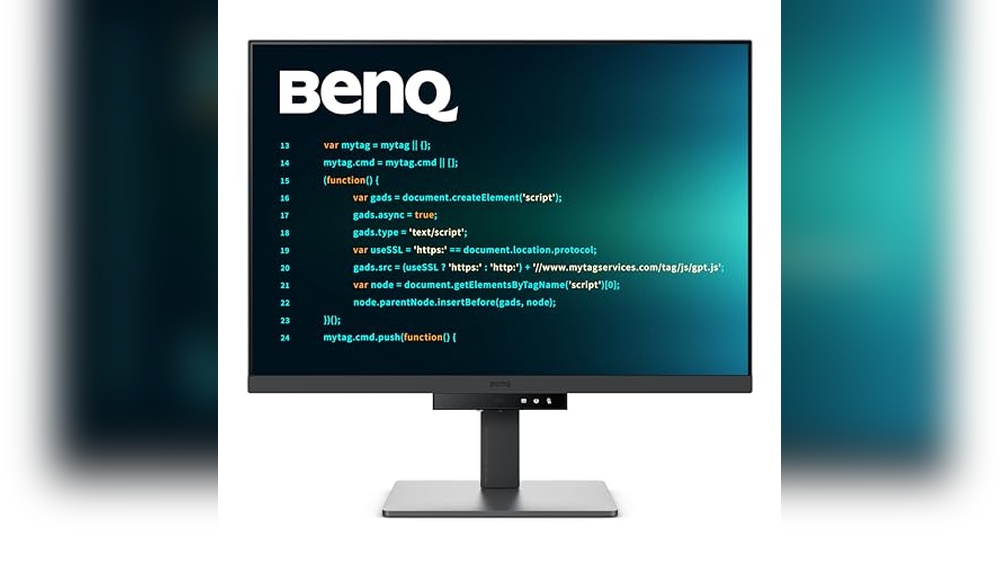
The BenQ RD280U is a premium 28.2-inch 4K programming monitor designed specifically for developers and coders. Featuring a unique 3:2 aspect ratio with a resolution of 3840×2560, it offers more vertical screen real estate, making it ideal for viewing lengthy lines of code and multiple windows simultaneously. Equipped with BenQ’s Eye-Care technology and a Nano Matte Panel, this monitor reduces eye strain during extended coding sessions, while the MoonHalo backlight ensures comfortable ambient lighting. With versatile connectivity options including 90W USB-C and KVM switch support, this developer monitor is perfect for professionals seeking both performance and comfort. Programmers, software developers, and IT professionals will notice the biggest difference in their daily workflow, benefiting from improved clarity, reduced fatigue, and enhanced productivity.
- Work longer with less eye strain thanks to the Nano Matte Panel’s anti-glare technology, ensuring clear visibility even in bright or reflective environments.
- Enhance coding accuracy and reduce errors by using Advanced Coding Modes that highlight syntax and structure, making your code easier to read and debug.
- Maintain focus and reduce visual fatigue with MoonHalo backlight, which provides a comfortable and immersive lighting environment tailored for extended programming sessions.
- Stay comfortable during long hours of work with ergonomic design features that promote optimal posture, helping you maintain productivity without physical discomfort.
- Protect your eyes during late-night coding marathons with Night Hours Protection and Brightness Intelligence Gen2, which automatically adjust screen brightness to minimize eye fatigue.
The BenQ RD280U 28.2” 4K monitor offers impressive features tailored for developers and programmers, but like any specialized device, it has some realistic weaknesses to consider.
- Unconventional Resolution and Aspect Ratio: The 3840×2560 resolution with a 3:2 aspect ratio provides more vertical screen space, which is excellent for coding. However, this aspect ratio is less common compared to standard 16:9 monitors, potentially leading to compatibility issues or letterboxing when watching videos or using certain applications optimized for widescreen formats. Buyers primarily focused on multimedia consumption might find this less ideal.
- Limited Color Gamut for Creative Work: While the Nano Matte panel reduces glare and eye strain effectively, it may not cover as wide a color gamut as professional photo or video editing monitors. Designers or content creators needing precise color accuracy might find this monitor falls short compared to specialized color-critical displays.
- Price Point: As a developer-focused 4K monitor with eye-care technology and USB-C connectivity, the RD280U sits at a higher price bracket. Budget-conscious buyers or casual users might consider it an expensive investment relative to general-purpose monitors.
- Brightness and HDR Capabilities: The MoonHalo backlight technology enhances viewing comfort, but the monitor may not deliver high peak brightness or advanced HDR support found in some high-end displays. Users who prioritize vibrant HDR content or bright environments might find this limiting.
- KVM Switch Limitations: The built-in KVM switch is useful for controlling multiple devices with one keyboard and mouse, but it may have limited compatibility or require specific configurations. Buyers looking for seamless multi-device setups might need to verify compatibility with their peripherals.
Overall, the BenQ RD280U is ideal for programmers and developers who value vertical screen space, eye comfort, and connectivity features. However, multimedia enthusiasts, professional creatives, or budget buyers may perceive these trade-offs as drawbacks.
The BenQ RD280U 28.2” 4K 3840×2560 3:2 Programming Monitor is ideal for:
- Professional Developers and Programmers: Those who require a high-resolution 3:2 aspect ratio screen to see more lines of code and reduce scrolling.
- Home Office Enthusiasts: Users with a dedicated workspace looking for eye-care features like flicker-free technology and low blue light to reduce eye strain during long coding sessions.
- Tech-Savvy Users with USB-C Setup: Individuals who want a single-cable connection with 90W power delivery to streamline their workstation and reduce clutter.
- Multi-Device Users: Those who need KVM functionality to switch seamlessly between multiple computers using one monitor, keyboard, and mouse setup.
- Users Who Value Display Quality: Professionals who prefer a nano matte panel for reduced glare and better color accuracy in various lighting conditions.
- Budget Level: Suitable for mid to high budget buyers who prioritize productivity and display quality over low-cost options.
Who should avoid the BenQ RD280U:
- Casual Users or Gamers: Those who primarily use their monitor for gaming or general multimedia might find this monitor’s features overkill and may prefer a display with higher refresh rates or gaming-centric specs.
- Budget-Conscious Buyers: If cost is a major concern, this monitor might be outside the affordable range due to its specialized features and high resolution.
- Users Needing Ultra-Wide Screens: Individuals preferring ultra-wide or standard 16:9 aspect ratios for video editing or entertainment may find the 3:2 aspect ratio less suitable.
- Mobile or Compact Setup Users: Those with limited desk space or who require portability might find the 28.2” size too large for their environment.
The BenQ RD280U is ideal for programmers seeking a sharp 4K 3:2 display with eye-care features and versatile connectivity. However, its premium price may be a drawback for budget-conscious users. Consider this monitor if screen quality and developer-focused features are your priority.
Benq Rd240q 24.1” Wqxga Benq Programming Monitor, 90w Usb Type-c, Advanced Coding Modes, Coding Hotkey, Ergonomic Design, 16:10 Special Ratio, Circadian Mode, Eye-care Technology, Eco-friendly Design

The BenQ RD240Q 24.1” WQXGA Programming Monitor is expertly designed for developers and coding professionals seeking enhanced productivity and comfort. As a product from the trusted brand BenQ, this monitor features a 16:10 special aspect ratio, providing extra vertical screen space ideal for viewing lines of code and multiple windows simultaneously. Equipped with advanced coding modes, customizable hotkeys, and ergonomic design, it reduces eye strain and physical fatigue during long programming sessions. Users who spend significant hours coding or working on software development will notice the biggest difference in their daily workflow, benefiting from improved clarity, comfort, and efficiency.
- Enhance your coding accuracy and efficiency by easily distinguishing different parts of your code, allowing for smoother debugging and development.
- Boost your workflow with the convenient Coding HotKey, enabling quick access to essential programming modes without interrupting your focus.
- Maintain a healthy posture during long coding sessions, reducing fatigue and discomfort to sustain productivity over extended periods.
- Protect your eyes from strain and fatigue, especially during late-night work, thanks to advanced eye-care technologies that adjust brightness and reduce blue light.
- Enjoy a larger, more comfortable workspace with the 16:10 aspect ratio, which lets you view more code and content simultaneously, minimizing the need for constant scrolling.
The BenQ RD240Q 24.1” WQXGA Programming Monitor offers a range of features tailored for programmers, but like any specialized monitor, it comes with certain realistic weaknesses:
- Limited Color Accuracy for Creative Work: While it provides good color reproduction for coding and general use, it may not meet the high color accuracy demands of professional photo or video editors. Buyers focused on creative fields might find this limiting.
- Price Point Considerations: As a niche monitor with advanced coding modes and ergonomic design, the price may be higher compared to standard 24-inch monitors. Budget-conscious buyers or casual users might consider this a trade-off.
- Screen Size and Resolution Trade-off: The 24.1” size with a 16:10 aspect ratio and WQXGA resolution offers extra vertical space beneficial for coding but might feel smaller or less immersive for users accustomed to larger screens or 16:9 aspect ratio for multimedia consumption.
- USB Type-C Power Delivery Limits: The 90W USB Type-C charging is sufficient for most laptops but may not fully support power-hungry devices, requiring additional power adapters for some users. Buyers with high-power laptops should be aware of this limitation.
- Feature Overlap for General Users: Advanced coding modes, hotkeys, and circadian modes are excellent for programmers but may be underutilized by general office workers or casual users, who might not find the specialized features cost-effective.
- Ergonomics Require Setup: While the ergonomic design is a plus, achieving the optimal setup can require time and desk space. Users with limited workspace or those who prefer plug-and-play simplicity might find this less convenient.
In summary, the BenQ RD240Q is ideal for programmers and professionals seeking specialized coding features and eye-care technology. However, users focused on creative work, budget constraints, or general multimedia use might find some trade-offs less appealing.
The BenQ RD240Q 24.1” WQXGA Programming Monitor is ideal for:
- Professional Programmers and Developers: Those who spend long hours coding will benefit from its advanced coding modes, coding hotkeys, and eye-care technology that reduce strain and enhance productivity.
- Home Office Users: Perfect for a home setup requiring ergonomic design and a 16:10 aspect ratio for better vertical screen space, making it easier to view code, documents, and multiple windows simultaneously.
- Tech Enthusiasts with USB Type-C Devices: Users who appreciate the convenience of a 90W USB Type-C port for charging and connectivity, reducing cable clutter.
- Environmentally Conscious Buyers: Those who prefer eco-friendly products will appreciate its eco-friendly design and circadian mode, which adjusts screen brightness and color temperature to reduce eye fatigue.
- Mid-range Budget Buyers: Individuals seeking a specialized programming monitor without stepping into premium price ranges will find this monitor’s feature set balanced with value.
Who should avoid the BenQ RD240Q:
- Casual Users and Gamers: If your primary use is gaming or multimedia entertainment, this monitor’s focus on programming features and 16:10 ratio may not offer the best experience.
- Users with Tight Budgets: Those looking for the cheapest option might find this monitor’s specialized features unnecessary and better suited to higher spending.
- Graphic Designers or Video Editors: Since this monitor is optimized for coding, it may lack the color accuracy and refresh rates preferred by creative professionals.
- Users Needing Larger Screen Sizes: If you require screens larger than 24.1 inches for multitasking or detailed work, this monitor might feel limiting.
The BenQ RD240Q is ideal for programmers seeking enhanced productivity with its 16:10 aspect ratio, advanced coding modes, and ergonomic design. However, its limited color accuracy and lower refresh rate may not suit users needing high-end graphic performance.
Samsung 32-inch Flat Computer Monitor, 75hz, Borderless Display, Amd Freesync, Game Mode, Advanced Eye Care, Hdmi And Displayport, Ls32b304nwnxgo, 2024

The Samsung 32-Inch Flat Computer Monitor LS32B304NWNXGO, released in 2024, is designed to elevate your coding experience with its 75Hz refresh rate and borderless display. This monitor combines sleek aesthetics with advanced features like AMD FreeSync and Game Mode, ensuring smooth visuals and reduced eye strain during long coding sessions. Equipped with HDMI and DisplayPort connectivity, it offers versatile compatibility for various devices. Programmers and developers who spend extended hours in front of the screen will notice the biggest difference, thanks to Samsung’s advanced eye care technology that minimizes fatigue and maximizes productivity.
- Enjoy an immersive and distraction-free viewing experience with a sleek, borderless design that seamlessly aligns multiple monitors for a clean and modern workspace.
- Experience smooth and uninterrupted visuals during fast-paced gaming or movie scenes, thanks to synchronized refresh rates that eliminate screen tearing and stuttering.
- Benefit from fluid on-screen motion with a high refresh rate that ensures crisp, lag-free content whether you’re working, streaming, or gaming.
- Gain a competitive advantage with enhanced game settings that improve color clarity and contrast, allowing you to spot details and opponents easily in any game environment.
- Protect your eyes during long hours of use with advanced comfort features that reduce flicker and minimize harmful blue light, helping to prevent eye strain and fatigue.
The Samsung 32-Inch Flat Computer Monitor (LS32B304NWNXGO, 2024) offers a solid set of features for its category, but it does come with some realistic weaknesses to consider before purchase.
- 75Hz Refresh Rate: While 75Hz is an upgrade over the standard 60Hz, it may not satisfy hardcore gamers who prefer 120Hz or higher for ultra-smooth motion. Casual gamers and general users will find it adequate, but competitive gamers might see this as a limitation.
- 32-Inch Size and Resolution Trade-Off: The monitor’s 32-inch size provides ample screen real estate, but depending on its resolution (likely Full HD or 2K), pixel density might be lower compared to smaller monitors with the same resolution. Users looking for ultra-sharp images for professional photo or video editing may find it less ideal.
- Borderless Design Compromises: The borderless or slim bezel design enhances aesthetics and multi-monitor setups but can make the screen more fragile and prone to accidental damage. Buyers prioritizing durability might need to be more cautious.
- AMD FreeSync Compatibility: This feature helps reduce screen tearing, but it is primarily optimized for AMD graphics cards. Users with NVIDIA GPUs might not experience the full benefit, which is a common trade-off in monitors targeting FreeSync support.
- Basic Game Mode: The included Game Mode improves responsiveness and color settings, but it is not as advanced as dedicated gaming monitors with customizable profiles or ultra-low input lag. Serious gamers may find this limiting.
- Advanced Eye Care Features: While eye care technologies like flicker-free and blue light reduction help reduce eye strain, they are standard in this category and may not replace the need for regular breaks during extended use. Buyers with sensitive eyes will appreciate the feature but should maintain good ergonomics regardless.
- Connectivity Options: The inclusion of HDMI and DisplayPort covers most use cases, but the absence of USB-C or additional ports could be a drawback for users wanting a single-cable solution for laptops or multiple peripherals.
Overall, this monitor is well-suited for general users, casual gamers, and office work. However, buyers seeking high-end gaming performance, professional-grade color accuracy, or advanced connectivity may want to explore alternatives that better meet those specialized needs.
The Samsung 32-Inch Flat Computer Monitor (LS32B304NWNXGO, 2024) is ideal for:
- Home users seeking a large, immersive display for everyday tasks such as browsing, streaming, and light gaming.
- Gamers who want a smooth experience with 75Hz refresh rate and AMD FreeSync support to reduce screen tearing without investing in a high-end gaming monitor.
- Professionals or students who appreciate eye care technologies for long hours of use, making it suitable for home office setups.
- Budget-conscious buyers looking for a feature-rich monitor with HDMI and DisplayPort connectivity at a reasonable price point.
- Users who prefer a clean, modern aesthetic with a borderless design that complements minimalistic desk setups.
However, the Samsung 32-Inch Flat Computer Monitor may not be suitable for:
- Competitive or professional gamers requiring ultra-high refresh rates (120Hz or higher) and faster response times for esports-level performance.
- Graphic designers or video editors who need highly accurate color calibration and higher resolution displays beyond standard Full HD.
- Users who demand extensive ergonomic adjustments like height, swivel, or pivot, as this model may offer limited physical adjustability.
- Those with very limited desk space where a 32-inch screen might be too large or overwhelming.
The Samsung 32-Inch Flat Computer Monitor offers a smooth 75Hz refresh rate and AMD FreeSync, making it a solid choice for casual gaming and everyday use. However, users seeking higher resolution or more advanced color accuracy might find it lacking.
Comparison Snapshot
| Monitor | Performance | Price Range | Features | Ideal Use Case | Highlights |
|---|---|---|---|---|---|
| BenQ RD280U 28.2” 4K 3840×2560 3:2 Programming Monitor |
4K resolution (3840×2560) with a unique 3:2 aspect ratio Nano Matte Panel reduces glare MoonHalo backlight for reduced eye strain 90W USB-C charging and KVM switch support |
High-end |
Eye-care technology Multiple coding modes VESA mount compatible Developer-oriented features |
Professional developers and programmers needing high resolution and extra vertical space for code Users prioritizing eye comfort during long coding sessions |
Best Overall: Premium build, cutting-edge features, and excellent display quality for programming professionals |
| BenQ RD240Q 24.1” WQXGA Programming Monitor |
WQXGA resolution (2560×1600) with 16:10 aspect ratio Advanced coding modes and coding hotkeys 90W USB Type-C charging |
Mid-range |
Eye-care technology with circadian mode Ergonomic design for comfortable use Eco-friendly design VESA mount compatible |
Programmers and developers seeking a balance between price and performance Users who want ergonomic and eco-friendly features |
Best Value: Balanced features and price with thoughtful programming-focused enhancements |
| Samsung 32-Inch Flat Computer Monitor LS32B304NWNXGO (2024) |
Full HD-ish resolution (not 4K/WQXGA) 75Hz refresh rate with AMD FreeSync Borderless display design |
Budget to mid-range |
Advanced eye care technology Game mode for better responsiveness HDMI and DisplayPort inputs |
Casual coders who also want gaming and multimedia performance Users looking for a large screen with smooth visuals at an affordable price |
Best for Casual Users & Gamers: Versatile monitor suitable for mixed use including light coding and gaming |
Faq About Coding Monitor
What is a coding monitor?
A coding monitor is a display used by programmers to write, test, and debug code efficiently.
Why is screen resolution important for coding monitors?
Higher resolution provides clearer text and more screen space, improving readability and multitasking.
What screen size is ideal for a coding monitor?
Typically, 24 to 32 inches offers a good balance of visibility and desk space for coding tasks.
Do coding monitors need special features?
Features like anti-glare, adjustable stands, and flicker-free technology enhance comfort during long coding sessions.
Is a curved monitor suitable for coding?
Curved monitors can reduce eye strain and improve immersion, but preference varies among programmers.
Should a coding monitor support multiple connectivity options?
Yes, multiple ports like HDMI, DisplayPort, and USB-C improve compatibility with different devices.
Can coding monitors improve productivity?
Yes, by providing clear visuals and ample screen space, they help programmers work more efficiently.
Final Verdict
Choosing the right coding monitor ultimately depends on your specific needs and preferences. If you prioritize color accuracy and sharp visuals for design or development work, a monitor with high resolution and excellent color reproduction will serve you well. For those who value smooth performance and fast response times, especially in coding environments with multiple windows or terminals, a monitor with a higher refresh rate and ergonomic features might be more suitable.
Different coding monitors cater to varied workflows—whether you need ample screen real estate for multitasking, eye-care technologies for extended use, or portability for on-the-go coding sessions. Taking time to assess your workspace, typical tasks, and budget will help you select a monitor that complements your coding style comfortably.
In summary, while there is no one-size-fits-all, understanding your priorities will guide you toward a monitor that enhances productivity and comfort. Consider these factors carefully to make a confident and informed choice that fits your coding journey.